
A local Nostr signer Chrome launch soon
Your Nostr keys.Your signing decisions.
Sign in to Nostr websites without handing them your private key. Keep your identities in one encrypted browser vault, see what a site is asking for, and choose what gets signed.
Chrome Web Store launch coming soon. Build from source today.
A signature starts with your say.
See the request. Make the call.
https://client.exampleA website is asking to publish as you.- Signing as
- Personal identity
- Event kind
1· Short text note- Permission
- Always asks for approval
The note you’re signing
Trying a new Nostr client. Same identity, a different view.
View example event
{
  "kind": 1,
  "content": "Trying a new Nostr client. Same identity, a different view.",
  "tags": [],
  "created_at": 1791374400
}No extension connection. No real signing.
The signing flow
Your identity goes with you.
Your Nostr identity is a key pair. Ostrilo holds the private key and lets compatible websites request a public key or a signature through your browser.
- 01 · Connect
Choose who sees your identity.
A website asks for your public key. Ostrilo asks for your consent for that site, even when it has a high trust level. You can refuse.
- 02 · Review
Read what you’re signing.
Check the requesting site, signing identity, event kind, and content. Text notes, deletions, zap requests, and relay or HTTP authentication always need approval.
- 03 · Decide
Approve it. Or don’t.
Approved events are signed locally and returned to the website. Your private key stays in the extension. A signature lets the site act as you, so the decision matters.
Built for everyday Nostr
Room for more than
one side of you.
- Keep identities separate.
Create or import keys, give them useful names, and choose your active identity.
- Make trust a deliberate choice.
Manage permissions for each site and event kind. Allow selected routine events from a trusted site while protected kinds still ask for approval.
- See the decisions you’ve made.
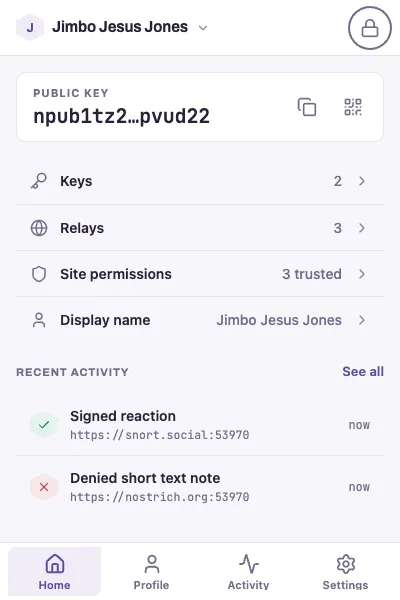
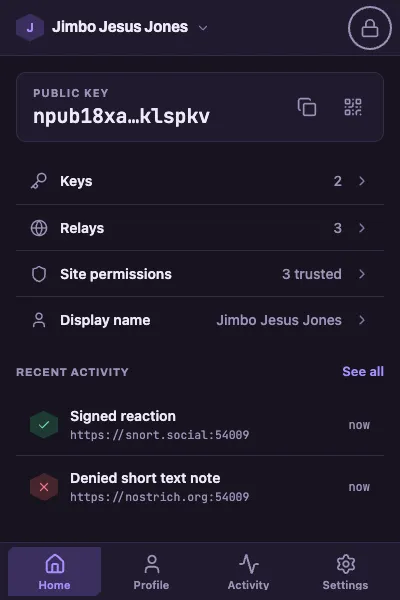
Review signing and public-key disclosure in Activity. Manage your profiles, relays, and security settings in the full options page.
Trust you can examine
Local by design.
Open to inspection.
Your identity deserves a tool you can understand. Ostrilo keeps private keys in your browser and puts the source, permissions, and signing policy where you can inspect them.
Read the security modelEncrypted where it counts.
Private keys are encrypted at rest. Signing runs in the extension’s background context.
No data sent to the developer.
The extension has no analytics, telemetry, or crash reporting. You choose the relays used for your Nostr profiles.
Yours to build on.
MIT licensed, with a readable codebase and documented signing policy. Build your own copy, contribute a change, or maintain a fork.
Built in the open · MIT
Help shape what comes next.
From everyday signing to broader Nostr support, Ostrilo is growing in the open. Explore what’s built and what we’re working toward.